
Edit Text in Images with AI:
Fix Typos & Replace Words Instantly
Don't let a simple typo ruin a perfect AI-generated image. Our AI Text Image Editor allows you to modify, correct, or replace text within any image while maintaining the original style and background.
Editor Workspace
Upload Image to Edit
Drag & drop or click to browse
See the difference
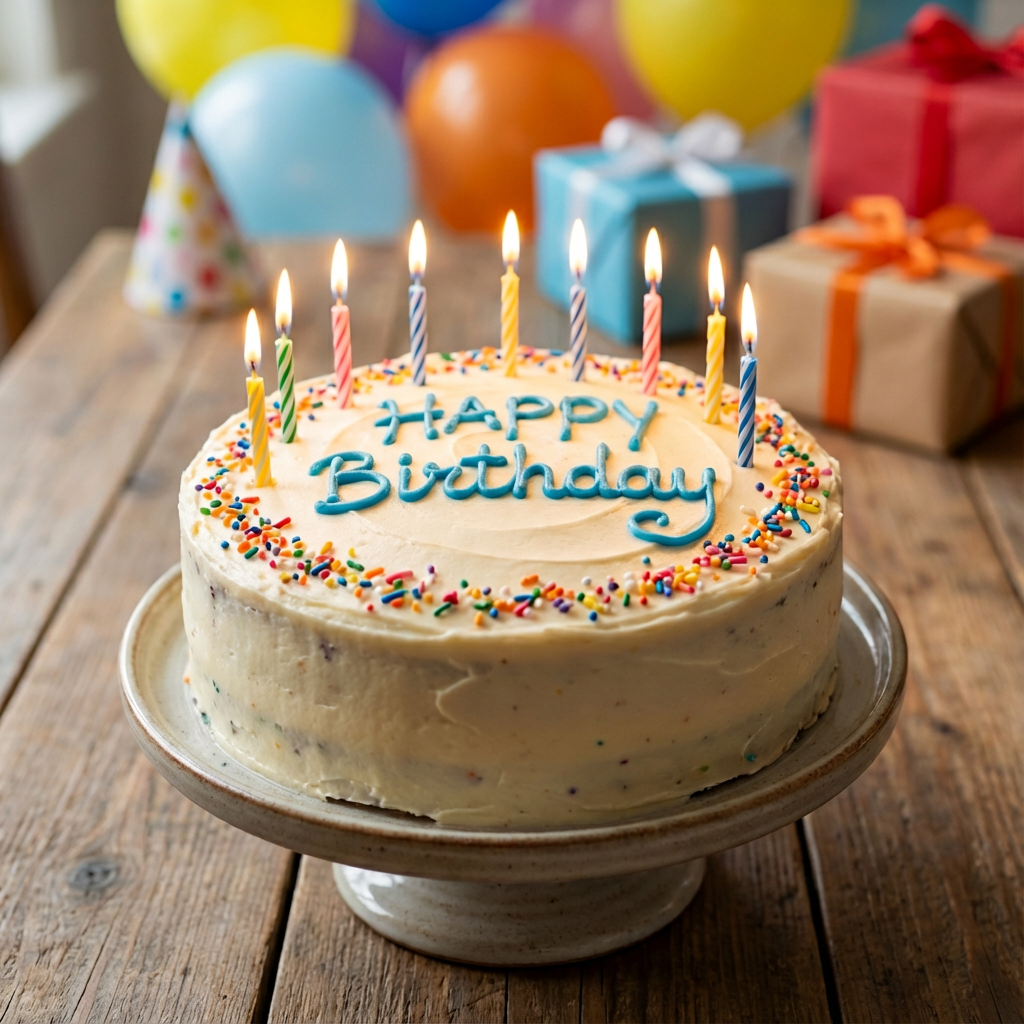
"HAPPYY BIRTHDAY" (Typo)
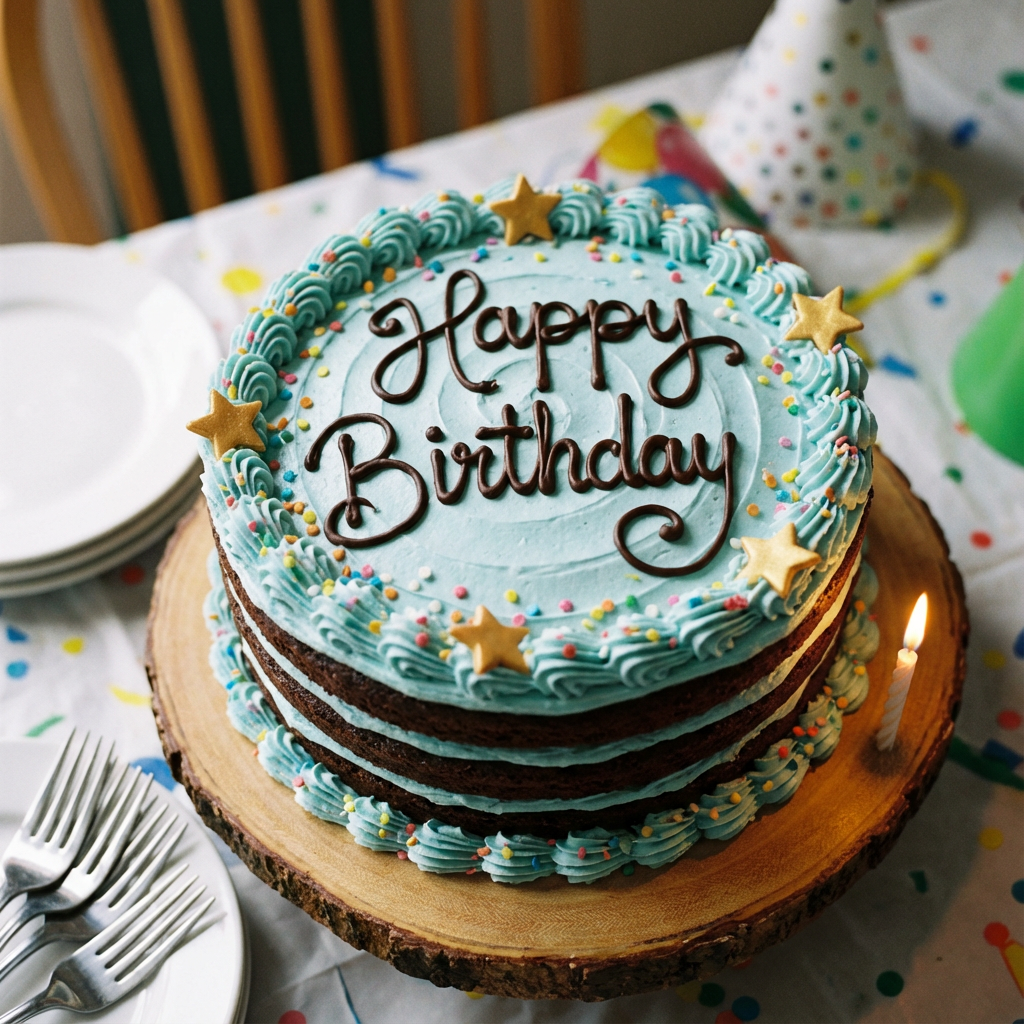
"HAPPY BIRTHDAY" (Fixed)
Fix AI Typos
Generated a perfect image but the text is garbled? Don't regenerate 50 times. Just upload it here and fix the text in seconds.
Update Outdated Info
Need to change a date on a flyer or a price on a menu? Edit the text directly on the image without needing the source PSD file.
Seamless Blending
Our AI analyzes lighting, texture, and font style to ensure the new text looks like it was always there. No bad photoshop jobs.
How to replace text in an image
Upload Image
Drag and drop your image into the editor. We support PNG, JPG, and WEBP.
Describe Change
Tell the AI what to do. Example: "Change '2023' to '2024'" or "Fix spelling of 'Coffee'".
Download
The AI reconstructs the background and applies the new text. Download your fixed image.
Frequently Asked Questions
Can I use this for free?
Yes, you can try the text editor for free. We provide daily credits to all users.
Does it work on handwritten text?
It works best on printed or digital fonts. Handwriting results may vary depending on legibility.
Will the background change?
The AI attempts to preserve the background as much as possible, only reconstructing the area behind the text being changed.