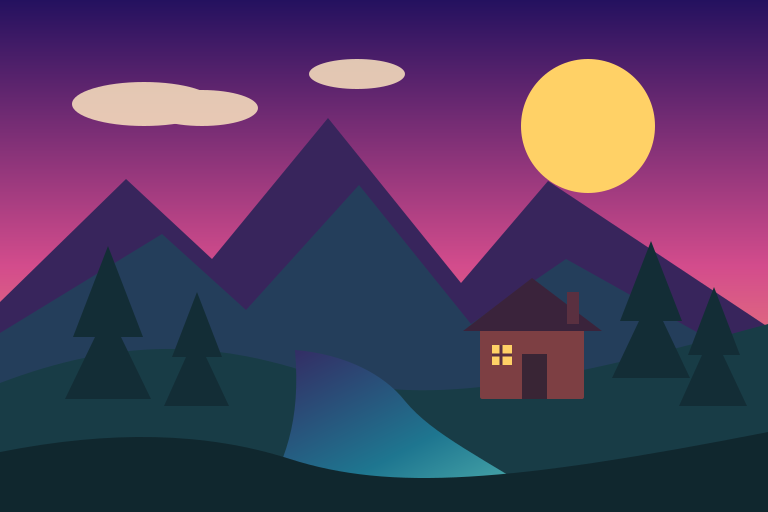
Original vector scene
The disclosed 768 × 512 SVG source used for every comparison.
 GPTImage.app
Convert a photo, illustration, or logo into a small logical grid, reduce its palette, preview every hard-edged pixel, and download a crisp PNG. This pixel art maker performs the standard conversion on your device and shows exactly what changed.
JPG, PNG, WebP, or SVG · up to 20 MB
Your result and extracted palette will appear here.
Select an image or load the disclosed landscape sample to begin.
These are not customer examples or AI-generated case studies. Each output is made from the disclosed SVG using this page’s grid reduction, median-cut palette, nearest-neighbor scaling, and PNG export. Load the sample above to reproduce the comparison.
The disclosed 768 × 512 SVG source used for every comparison.
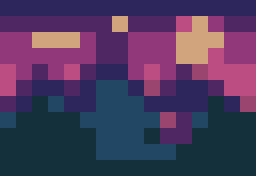
Large blocks keep only the landmark shapes and strongest contrast.
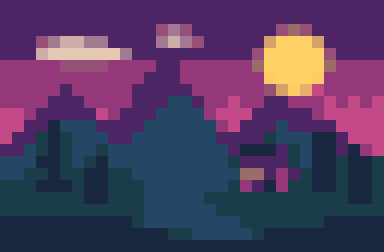
A balanced sprite-like result with clearer clouds, trees, and path.
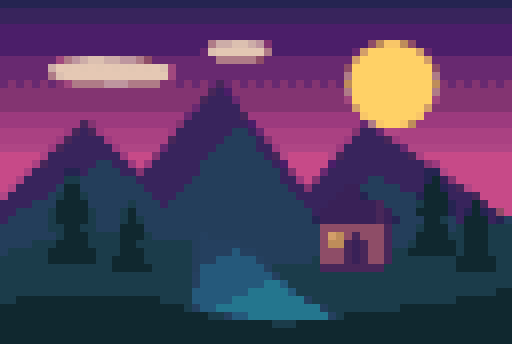
More of the source shading remains while every exported pixel stays crisp.
Choose an image with a clear silhouette and a limited number of important shapes. Tight crops usually survive a small grid better than busy scenes.
Start at 32 pixels and 16 colors. Move down when you want a bolder icon; move up when the subject loses a feature needed for recognition.
Check edges and transparency at the logical pixel size, then download a nearest-neighbor PNG. Enable grid lines only for counting or craft patterns.
A 16-pixel longest edge suits simple icons, emblems, and silhouettes. A 32-pixel grid gives a character room for a face, clothing, and pose. At 64 or 96 pixels, more source texture survives, but the result also needs more manual cleanup if it will become a true hand-finished sprite. Read the pixel art size guide for side-by-side planning advice. Already have a finished sprite? Resize pixel art without blur using integer scaling without changing its palette.
Palette size changes visual rhythm separately from resolution. Four colors create sharp value groups; eight colors are useful for small icons; 16 supports readable highlights and shadows; 32 retains more photographic variation. The displayed swatches are measured from your converted image, not a decorative preset palette.
16px / 4–8 colors
Icons, badges, tiny inventory objects
32px / 8–16 colors
Character sprites, avatars, simple logos
64px / 16–32 colors
Portraits, props, detailed scenes
96px / 16–32 colors
Large references that need later hand cleanup
The converter downsamples the complete source, groups nearby colors, and scales the reduced grid without smoothing. That is a deterministic image transformation. It does not understand anatomy, redraw outlines, separate animation layers, or place each pixel with an artist’s intent. For production game art, use the PNG as a blocked-in reference and edit silhouettes, clusters, highlights, and transparent edges in a dedicated sprite editor.
The conversion preserves the source aspect ratio, so a landscape becomes a rectangular grid even when 32 pixels is selected. The export is enlarged for convenient viewing, while the page reports the underlying logical width and height. Keep those logical dimensions when aligning sprites or tiles, and confirm that you own or may transform the source artwork.
No. The standard conversion runs locally in your browser. The page reads the selected file, reduces it on a small canvas, and creates the PNG on this device.
Use 16 pixels for simple icons, 32 for readable sprites, 64 for portraits and detailed props, and 96 when you need more of the source composition. The selected number applies to the longest edge.
A smaller palette groups similar colors and makes the image easier to read and edit as pixel art. Four or eight colors look bold; 16 or 32 retain more shading.
Yes, after checking the logical dimensions, transparency, palette, and your right to use the source. Automatic conversion often needs manual outline and cluster cleanup for production.
It draws visible cell boundaries into the exported PNG for counting, bead patterns, or teaching. Leave it off for a clean game or web asset.
Remove a simple background for a cleaner silhouette, or enlarge a tiny reference before comparing which details survive the target grid.